


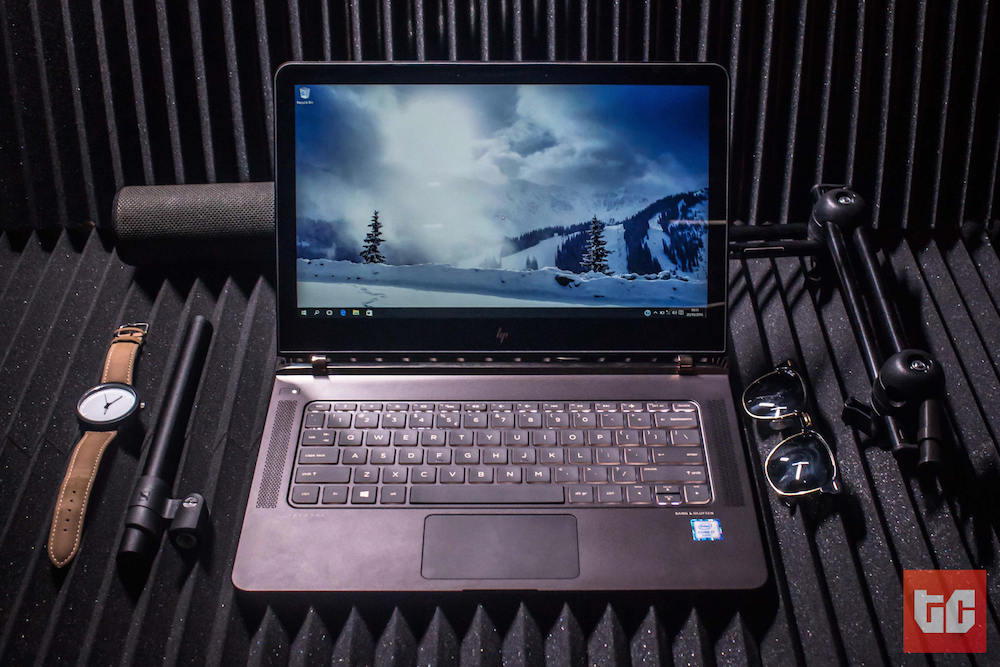
“Whoa! Who owns this thing?! What kind of laptop is this?! It’s HP?! Jesus Christ”
That was Bisi’s reaction when he walked into the office and found the Spectre on the desk where I left it to charge. I was admiring the photos I’d just taken on the far side of the room, fiddling in Adobe Lightroom and showing them to anyone who agreed to look.
So. Let’s get the most obvious thing out of the way – I was wrong. When I first saw photos of the HP Spectre and heard the announcement, I really didn’t think it was anything special to look at.
.@Fxlvrin @Wana____ Jesus Christ. You people think that HP Spectre laptop looks nice? Because of the shiny-shiny or what?
— osarumen (@skweird) April 7, 2016
That was when it first launched in the European and North American markets. Now, more than four months later, it’s made its way to Africa, and met me. “Say Hi, Spectre!”
You see, back then, my opinion may have been influenced by the fact that I swear by Apple – a fact people never tire of pointing out when debating with me. But I was a little annoyed that Windows OEMs who make high-end portable laptops keep using the MacBook Air as a blueprint for their body design. Much like Android smartphone manufacturers use(d?) the iPhone. HP did the same with the Spectre, but it really doesn’t matter, and I think we should stop bringing it up. Because, it’s 2016.
Think about it – why, but for foolish pride, would you design a laptop any different?
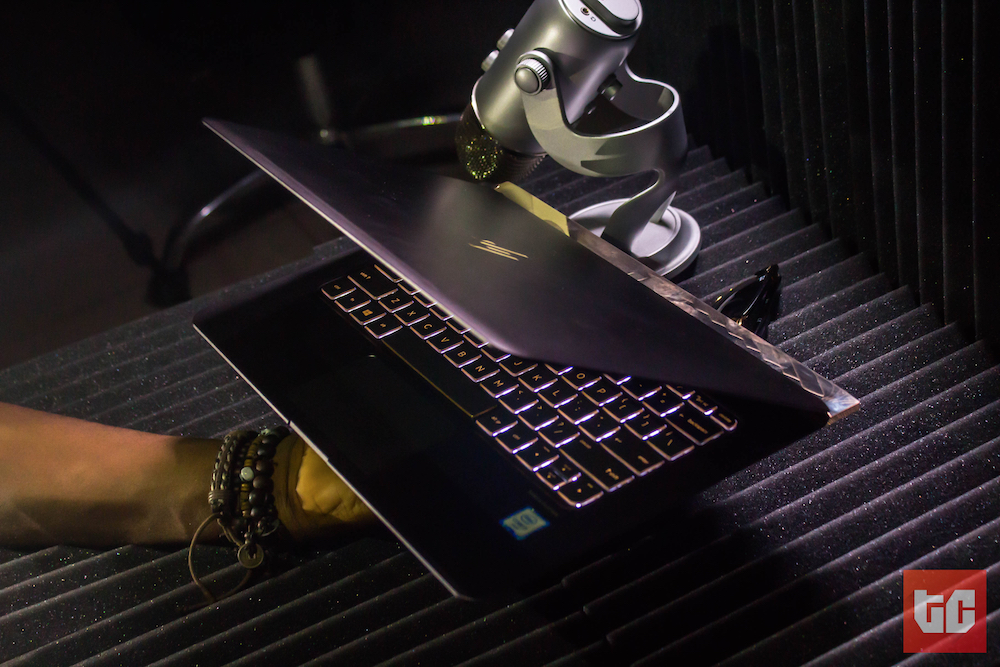
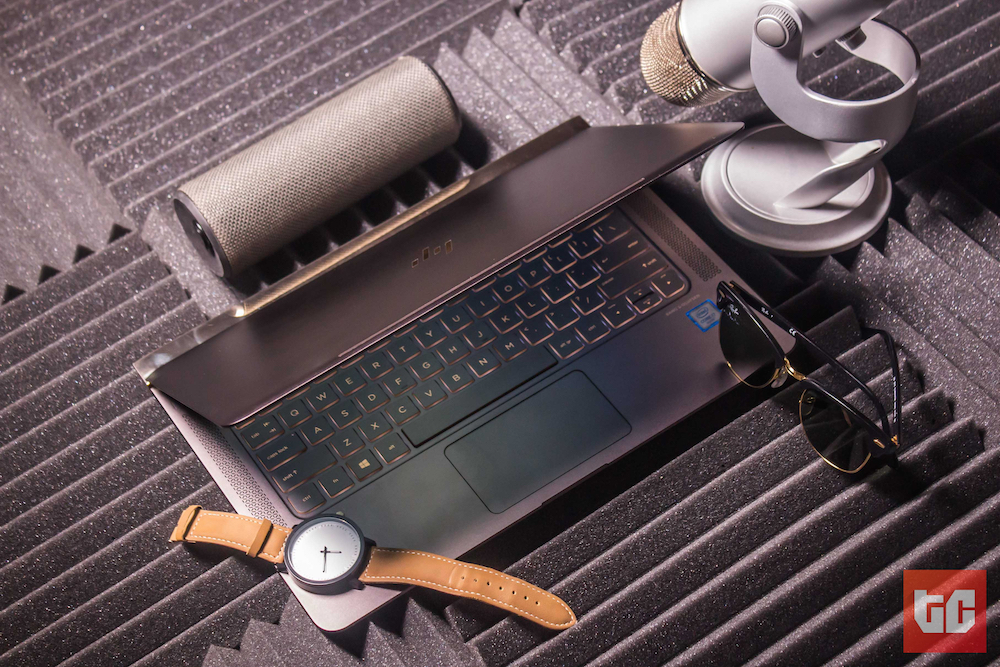
This is different, though. HP took the basic foundation (the MacBook’s chassis design) like everyone else, unleashed their own opinion on it, and ended up making one of the prettiest laptops I’ve ever seen. Very…un-HP. You won’t agree with all the design choices they made (as we’ll see in a bit), nor do they expect you to, but…just. look. at. that. thing.
[separator type=”thin”]
design
This thing is super-thin. Lots of ultrabooks today are very understated; almost like they want to disappear into the background by being colored dull greys, matte blacks, and simple silvers. But the Spectre isn’t having any of that. It comes in a unibody metal casing with a dark brown finish, weighs only 2.45 pounds, measures almost 13 inches by 9 inches and is only 0.41 inches thick (that’s just over 10mm – WUT?). For context, my MacBook Pro is 0.71 inches, Tola’s MacBook Air is 0.68 inches, and the MacBook, Apple’s thinnest computer, is 0.52 inches thick. Whoa.
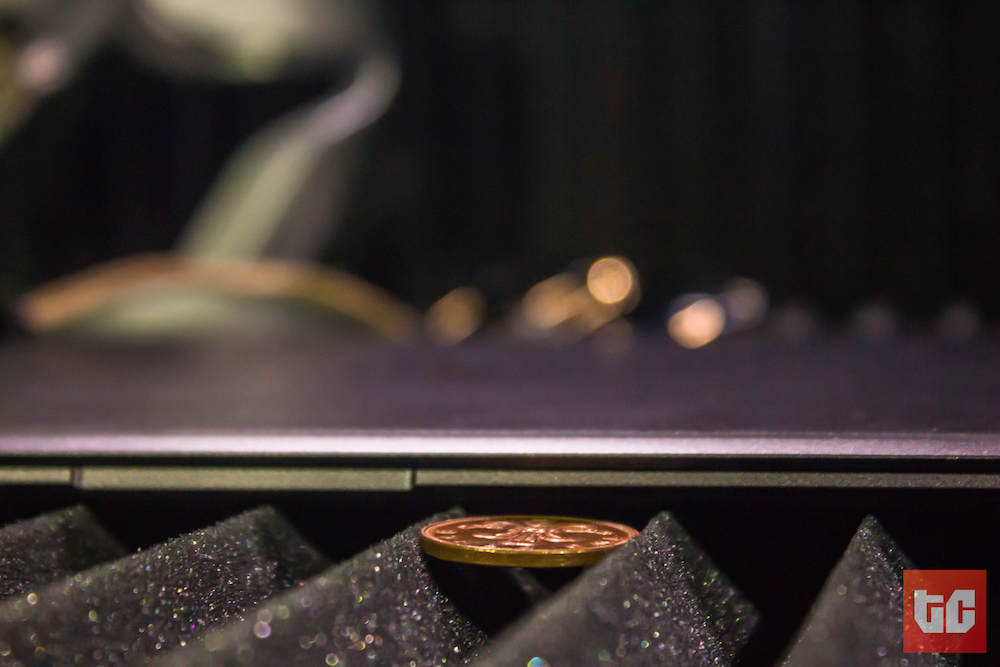
There’s a rear panel which houses the hinge, the fan (more on that later) and all three USB-C ports. Yes, HP went head first with this one. My phone charges via USB-C, so I wasn’t fazed at all that the only way to get data or power in or out of the Spectre was via the little-known port. Muggles? I’m not sure. I can tell you for free that it’s a fingerprint (and dust) magnet, though. Mere minutes with the Spectre, and the rear panel started looking like I shone a black light on a crime scene.
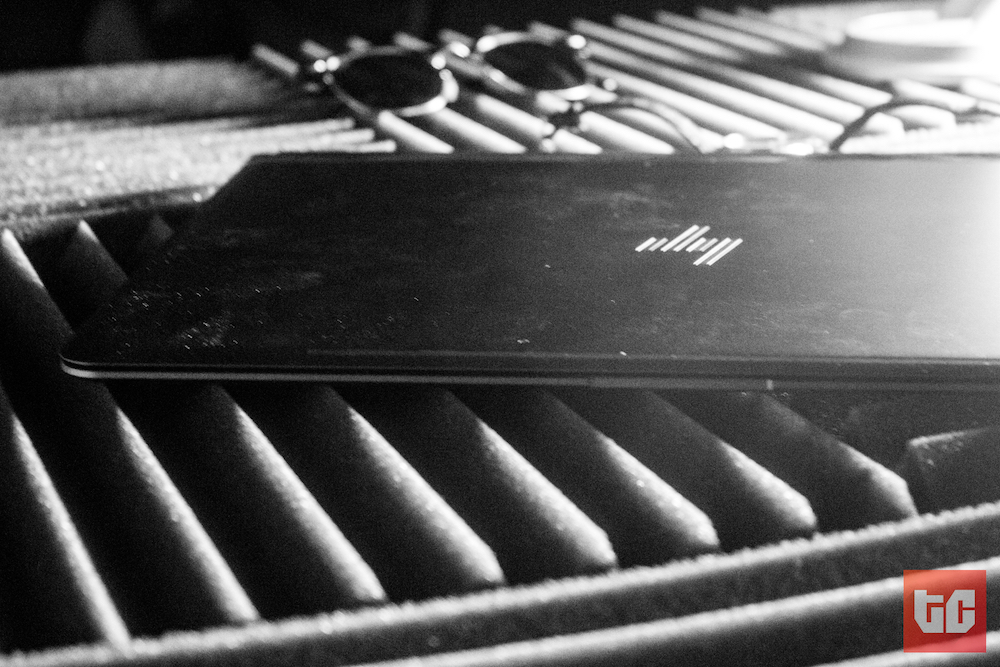

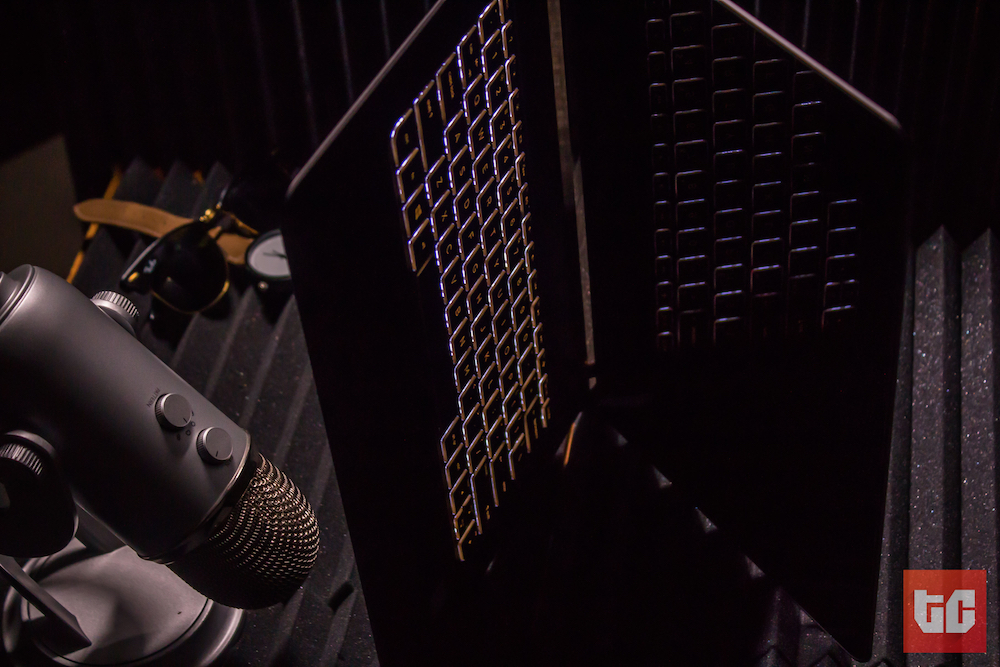
I like the new HP logo – a lot. It’s printed twice in gold on the lid; once behind the screen, and once under it. It all looks – and is – expensive. Perhaps, the best example of this when you look at the speaker grills on either side of the keyboard. They look very meticulously designed, and even though the Spectre comes in an aluminium unibody casing (like most ultrabooks do), this one feels decidedly handmade.
Piece by piece. Screw by screw. Key by key.
As you might expect, I’m typing this here review on the Spectre, and by Jupiter, it’s the best keyboard I’ve ever used. I didn’t think typing experiences came much better than on my MacBook Pro, but…damn. The keys are perfectly weighted and the key travel is just as much as on my MBP (even though it’s not as thick). My only wish was that the keyboard backlight didn’t have only two states – on and off.
I have to mention that I occasionally made mistakes, but I’m blaming that on muscle memory and the difference between Mac and Windows-based keyboards. For one, to type text in bold on a Windows machine, I should be hitting [Ctrl] + [B]. On a Mac, it’s [Command] + [B], and the [Command] key is placed where Windows manufacturers place their [Alt] key. [Command] + [D] means duplicate in most apps on a Mac, but [Alt] + [D] selects the address. Ba…I have a headache.
There are a few design decisions I think are a little bone-headed though. First, is the fact that the 3.5mm headphone jack is on the left side (if you’re facing the screen) of the gold panel I mentioned earlier, BEHIND THE LAPTOP. I cannot see how this isn’t asking for trouble. Asides from the extra stress you will end up placing on the end of your cable, it makes no sense to force people to either turn their laptops around or stab blindly at the panel to plug in their headphones.
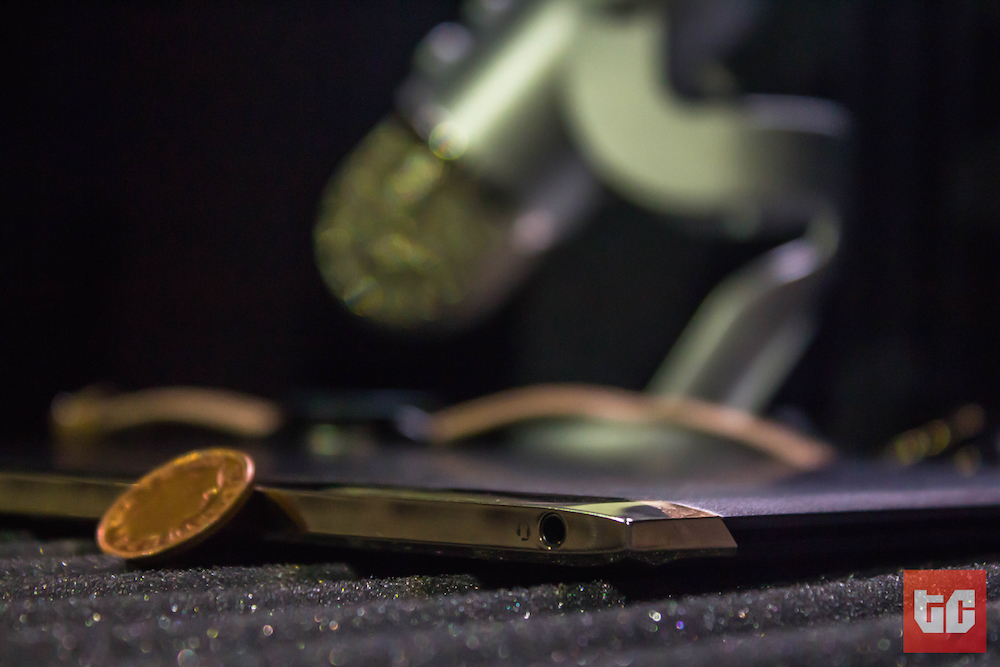

Obviously the laptop was too thin for a headphone port (or any other one, for that matter) to fit anywhere on the front or sides. The solution is to kill the damn thing and throw a bunch of USB-C to 3.5mm dongles or wireless bluetooth headphones in there, but I guess HP didn’t have the courage (lol) for it. We will revisit this issue in a few years, when they do it anyways.
The second issue I had was the trackpad. It feels really smooth, tracks as well as I expected it to, but it’s tiny. Well, maybe not for people coming from other Windows machines, but for people like me who’ve used MacBooks (and who the Spectre is targeted at, anyways), it’ll be a peeve.
[separator type=”thin”]
performance
The Spectre’s a lot more powerful than I expected. Making ultra-thin notebooks is a game of tradeoffs, and I’m surprised at how well HP played this one. Other ultra-thin notebooks like Apple’s 12-inch MacBook use low-power processors like the Intel Core M so they don’t have to stick in a fan and so they can squeeze out a few more hours of battery life. HP did something pretty interesting, instead. Remember that rear panel?
“It’s going to eat up regular productivity tasks for brunch.”
The Spectre sucks in cool air from under the computer and pushes out hot air via vents on the rear panel. They are calling it “Hyperbaric cooling”, but I don’t care about the name as much as I care about whether it works. It works. I spent a while doing a bunch of processor-intensive tasks with it on my lap, and well, call me Khaleesi I’m unburned. Speaking of processor intensive tasks, the Spectre is not some super-powered Alienware-type media workstation, nor does it pretend to be. But…it’s going to eat up your regular productivity tasks (even some photo editing) for brunch and ask for a milkshake after.

I’m blaming it on the Intel Core i7 processor and 8GB of RAM powering it. The only tradeoff is battery life. HP’s advertising says it will do more than 9 hours but that was just not true for me, especially not when running Slack, Word, and an unreasonable number of Chrome tabs (as I am wont to do). It lasted between 5 and 7 hours, which is less than what I’m used to on my MacBook under the same conditions. I guess it’s easier for Apple to make optimisations like this since they control the entire stack and HP is just borrowing Microsoft’s Windows 10 OS.
The display’s a 13.3-inch, 1920 x 1080, Gorilla Glass panel. It’s not as sharp or pixel-dense as MacBooks are, but it’s more than good enough for most human eyes not to tell the difference. It’s got great viewing angles, too. I’m not a big fan of the hinge, though. I tried to open up the laptop with just my left hand and I couldn’t do it without supporting with the right one.
Try that on any MacBook. 🙂
And no, Spectre doesn’t pretend that it is a tablet. It is satisfied to be a very well made laptop without asking its users to lift their hands from the keyboard to touch the screen. HP probably left out the touchscreen functionality to keep the laptop thin, but I think it’s a great idea. Let laptops be laptops, and let tablets be tablets. Trying to conflate both worlds when their operating systems aren’t designed for it is a nice gimmick when you have nothing else to offer, but it’s ergonomic Avici.
LOUDER, for those at the back.
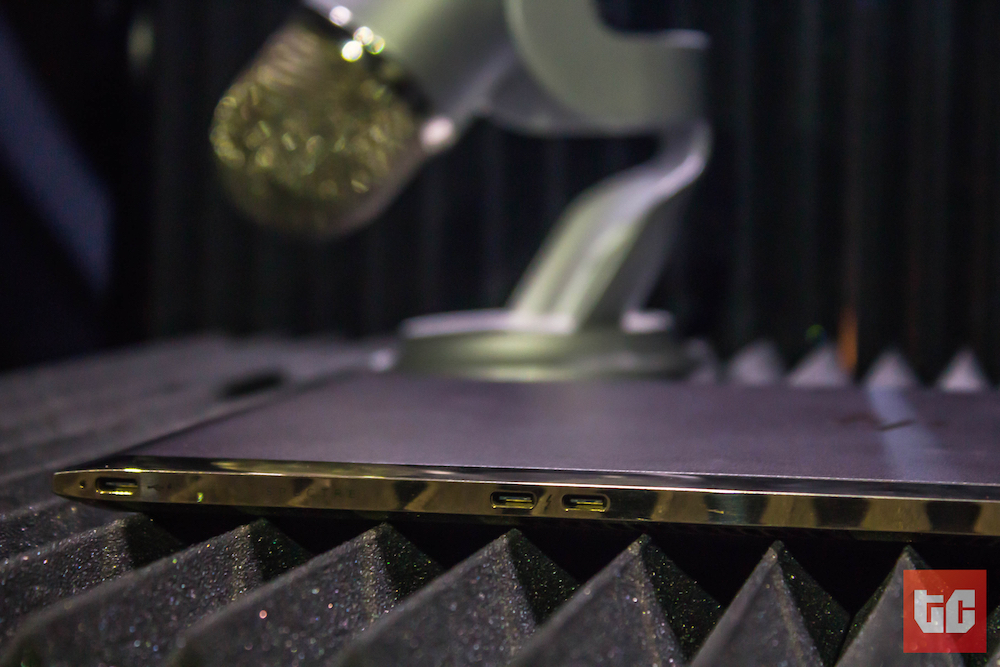
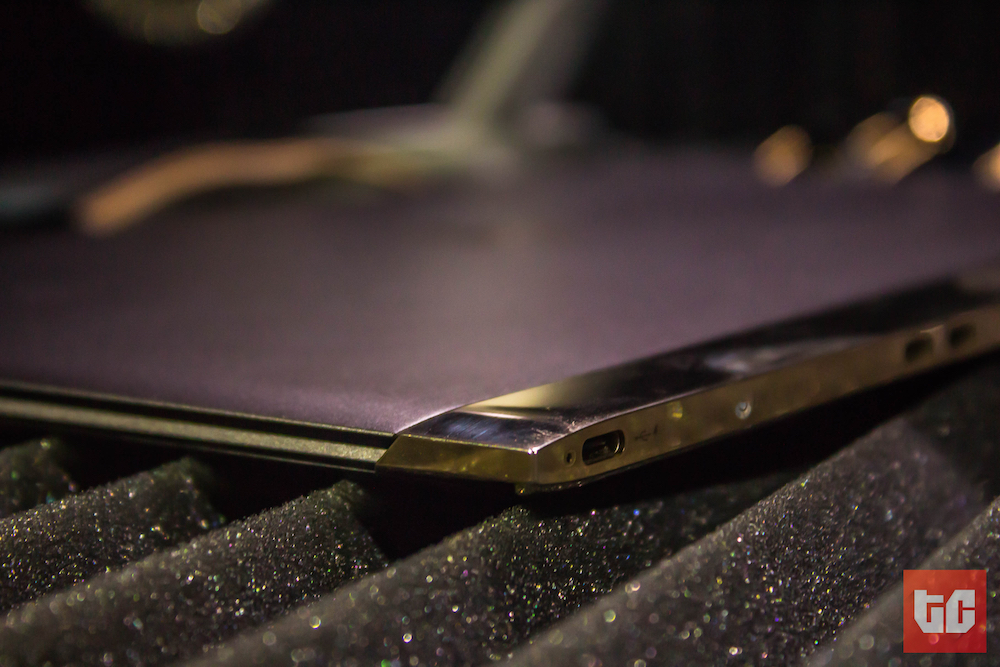
Spectre does all I/O (input/output) through USB-C ports on the rear end – charging, data transfer, internet, external displays, everything. It’s a bit alienating, since almost nobody has USB-C thumb drives or cords, but having three of them (with the adapter HP included in the box) is better than having one – at least from a consumer’s point of view. I’m a little disappointed with the Bang and Olufsen speakers. They aren’t loud, and there’s absolutely no bass response. Keep your headphones (which you’ll have to plug to the back of the notebook) and your bluetooth speakers (which are more my style these days) handy.
[separator type=”thin”]
verdict
There’s a very specific approach to making premium products. Step one is to create the best experience you possibly can, and step two is to sell it for as high as the market will buy it. Before now, it’s looked to me like HP’s strategy was to do it in reverse order. The result of this was a product line that was filled with undifferentiated laptops all competing aggressively for the biggest share in a crowded, low margin market. Meh.
Spending just over a week with the Spectre by my side and in front of me makes me feel like HP can make like an Egyptian Prince and play with the big boys now; make one of the boldest, most beautiful ultrabooks on earth (I think) and sell it to users at the top of the stack. I wasn’t in any of their product strategy meetings but it feels like this PC is targeted at a very specific kind of customer. You know, the coffee shop visiting, light web browsing, Tumblr-using, basic photo editing crowd willing to spend >$1200 on a nice-looking notebook.
If my theory is right and HP wants to start appealing to the quintessential MacBook user, then the Spectre is a big step in the right direction. I mean, it’s got an AMAZING keyboard, a good display, snappy performance, etc. A few things (like battery life and the hinge) showed me that it’s not MacBook-level refined, but for people who want to remain in the Windows “ecosystem”, I find it difficult to recommend anything else. Well, except Microsoft’s own MacBook clonepetitor, the Surface Book.
If dreams were jollof rice, beggars would be Nigerian, but as at the time of writing, my dream machine is a HP Spectre, with a MacBook Pro’s battery life, running Mac OSX. Do you have a bit of money, you want to look like it, and you don’t mind using a poxy (but admittedly, popular) operating system? Then go and buy the HP Spectre. I think I’ve fallen in love with it. Fin.
“Chairman, how far? Abeg which laptop be this? HP? How much you buy am abeg?” – random passerby who just saw me wrapping up this review at Cafe Neo.